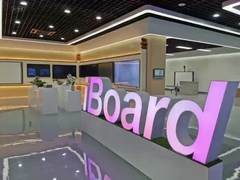
iBoard Interactive smart touch monitor

Other Videos
January 09, 2026
Category Connection: Interactive Touch Screen Monitor
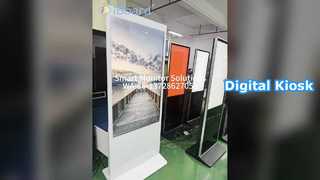
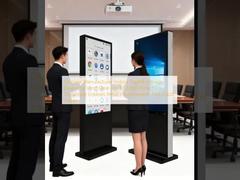
Brief: We tested it—see the highlights and what to expect in real operation. This video showcases the iBoard Interactive Smart Touch Monitor in action, demonstrating its 32-inch multi-touch display, seamless wireless screen sharing from various devices, and plug-and-play setup. Watch as we explore its Android 13 OS capabilities, built-in 13MP camera for video calls, and true portability for use in offices, presentations, or as a digital kiosk.
Related Product Features:
  • 32-inch IPS touchscreen with responsive 10-point multi-touch and 4096-level pressure sensitivity for intuitive control.
  • Runs on the latest Android 13 OS, providing smooth performance and access to millions of apps via Google Play.
  • Seamless wireless sharing supports Miracast and Chromecast for easy screen mirroring from smartphones, tablets, and laptops.
  • True portability with a lightweight design, integrated stand/handle, and built-in battery for 5-6 hours of continuous use.
  • Plug-and-play setup allows for quick installation with wireless connectivity or optional cable connections.
  • Powered by a Qualcomm 665 8-core processor with 8GB RAM and 128GB storage for lag-free multitasking and streaming.
  • Built-in 13MP HD camera and support for voice control, making it ideal for presentations and remote collaboration.
  • Versatile for multiple scenarios including digital signage, interactive kiosks, remote work, and home entertainment.
FAQs:
  • What is the screen size and resolution of the iBoard Interactive Smart Touch Monitor?
    The iBoard features a 32-inch IPS display with a Full HD resolution of 1920x1080, offering a 178-degree viewing angle and support for 10-point touch with 4096-level pressure sensitivity.
  • How long does the built-in battery last, and is the monitor truly portable?
    Yes, it is designed for true portability with a lightweight build and integrated stand/handle. The built-in lithium iron sulfate battery provides 5-6 hours of continuous power supply, making it easy to relocate between home, office, or events.
  • What operating system does the iBoard use, and what connectivity options are available?
    It runs on the latest Android 13 OS, ensuring smooth access to apps via Google Play. For connectivity, it supports Wi-Fi 6 and Bluetooth 5.0, along with ports including HDMI, USB 2.0, and USB 3.0, and wireless screen sharing via Miracast and Chromecast.
  • Can the iBoard be used for video conferencing, and what camera does it have?
    Absolutely. The iBoard includes a built-in 13MP HD camera, making it well-suited for video calls, remote collaboration, and presentations. Combined with voice control support, it enhances interactive and professional use cases.
Related Videos

Factory Direct Projectors Best Price

DLP Laser Projector
January 10, 2026

smart touch monitor

LCD Smart Board
January 08, 2026

Smart android monitor 32 inch

Touch Screen Kiosk
January 08, 2026

light function under whiteboard

LCD Smart Board
January 08, 2026

Smart Screen for a Smarter Life

LCD Smart Board
January 10, 2026

How a infrared whiteboard borns

Iboard Interactive Whiteboard
January 09, 2026

iBoard laser logo& buttons for the bottom frame

LED Interactive Whiteboard
January 09, 2026